I Tested 12 IPTV Apps - Here Are the 5 Worth Using
Why I Tested So Many Apps
I spent about 3 months testing different IPTV apps because I was tired of the one I was using. It crashed constantly, the interface was confusing, and channels took forever to load.
I tried 12 different apps across my Firestick, Android phone, and iPad. Some were great, some were terrible, and most were just okay. Here are the 5 I actually kept using.
My Top 5 IPTV Apps (Ranked by What I Actually Use)
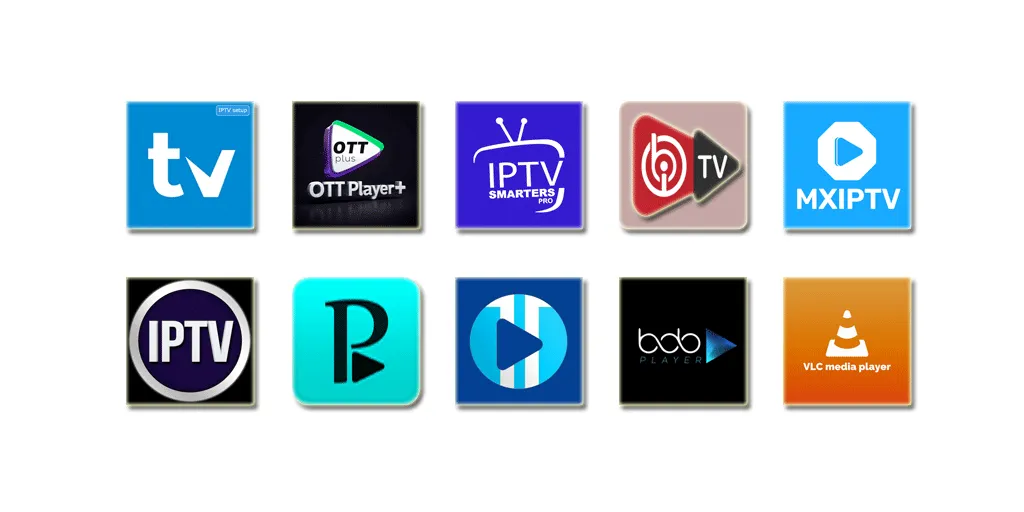
IPTV Smarters Pro
This is what I use daily on my Firestick
Why I Like It:
- Interface is easy to navigate (my wife figured it out in 5 minutes)
- Works with every IPTV service I've tried
- Has both live TV and movies/shows in one app
- Free - no subscription needed
- Rarely crashes (maybe once a month)
What Annoys Me:
- Occasional ads pop up (not during playback though)
- EPG sometimes doesn't load for a day or two
- Search function is slow
Real talk: It's not perfect, but it's the most reliable app I've used. Check out our TiviMate. I've had it installed for 2 years and it just works.
TiviMate IPTV Player
Better than Smarters, but Android only
Why I Like It:
- Best interface I've seen - looks professional
- EPG actually works consistently
- Can record shows (with premium)
- Handles multiple playlists better than Smarters
- Smooth performance, no lag
What Annoys Me:
- Costs $5.47/year for the good features (recording, multiple playlists)
- Only works on Android devices
- No VOD support - live TV only
Real talk: If you only watch live TV and use Android, get this instead of Smarters. Check out our IPTV Smarters Pro. The $5.47/year is worth it. I use it on my Android box.
GSE Smart IPTV
Best option for iPhone/iPad users
Why I Like It:
- Works great on iOS (most apps don't)
- Lots of customization options
- Cloud sync between devices
- Good parental controls
What Annoys Me:
- Interface is confusing at first - took me 20 minutes to figure out
- Pro version is $9.99 (expensive compared to TiviMate)
- Sometimes crashes when switching channels quickly
Real talk: If you use iPhone/iPad, this is your best bet. See our IPTV setup guide for detailed instructions. The free version works fine, don't bother with Pro unless you need cloud sync.
Perfect Player IPTV
Best free option with zero ads
Why I Like It:
- 100% free, no ads at all
- Super stable - never crashes
- Lightweight, runs smooth on old devices
- Simple and straightforward
What Annoys Me:
- Interface looks like it's from 2010
- No VOD support
- Limited customization
- EPG is basic
Real talk: It's ugly but reliable. For service recommendations, check our best IPTV service. I keep it installed as a backup when Smarters acts up. Does the job without any BS.
OTT Navigator IPTV
Prettiest interface, but Android only
Why I Like It:
- Beautiful modern design
- Smooth animations and transitions
- Good EPG with TV archive
- Premium is only $3.99 (reasonable)
What Annoys Me:
- Recording needs premium version
- Sometimes slow to load channels
- Android only
Real talk: If you care about how things look, get this. It's the best-looking IPTV app I've used. Performance is good but not as fast as TiviMate.
Which App for Which Device?
If You Have Android or Firestick
Use TiviMate if: You only watch live TV and want the best experience. Pay the $5.47/year.
Use Smarters Pro if: You watch both live TV and movies/shows. It's free and does everything.
Use Perfect Player if: You want something free with zero ads and don't care about looks.
If You Have iPhone or iPad
Use GSE Smart IPTV. It's basically your only good option on iOS. The free version works fine.
Smarters Pro also works on iOS but GSE is better optimized for Apple devices.
If You Have a Smart TV
Don't use the TV's built-in apps. They're usually slow and buggy.
Get a Firestick ($39) and use Smarters Pro or TiviMate. Way better experience.
Free vs Paid - Is It Worth Paying?
My take: The free apps work great for most people. I used Smarters Pro free for a year before trying anything else.
When Free is Fine:
- You just want to watch TV and don't care about fancy features
- You're okay with occasional ads (not during playback)
- You don't need to record shows
- One playlist is enough
When Paid is Worth It:
- TiviMate Premium ($5.47/year): Worth it if you want to record shows and use multiple IPTV services
- OTT Navigator Premium ($3.99): Worth it if you want recording and care about design
- GSE Pro ($9.99): Not worth it unless you really need cloud sync. Free version is fine.
I pay for TiviMate Premium because I use 2 different IPTV services and the recording feature is handy. But I used free apps for over a year and was perfectly happy.
Apps I Tried That Weren't Worth It
VLC Media Player
Everyone recommends this. I tried it for a week. It works, but the interface is terrible for IPTV. No EPG, no channel organization, just a basic player. Fine as a backup, not great as your main app.
Kodi with IPTV Add-ons
Too complicated. Took me an hour to set up, crashed constantly, add-ons kept breaking. If you're a tech person who likes tinkering, maybe. For normal people? Skip it.
IPTV Extreme
Interface is confusing, EPG barely works, crashes more than it should. There are better free options.
How to Pick the Right App
Here's what I'd do if I were starting over:
- Start with IPTV Smarters Pro (free)
Works on everything, does everything, costs nothing. Use it for a month.
- If you're on Android and want better, try TiviMate
Use the free version first. If you like it, pay the $5.47/year for premium.
- If you're on iPhone, use GSE Smart IPTV
Free version is fine. Don't pay for Pro unless you need cloud sync.
- If you want zero ads, use Perfect Player
It's ugly but reliable and completely free.
Don't overthink it. Most apps work fine. Pick one, use it for a week, switch if you don't like it.