IPTV Encoder: Complete Guide to Video Encoding for Streaming
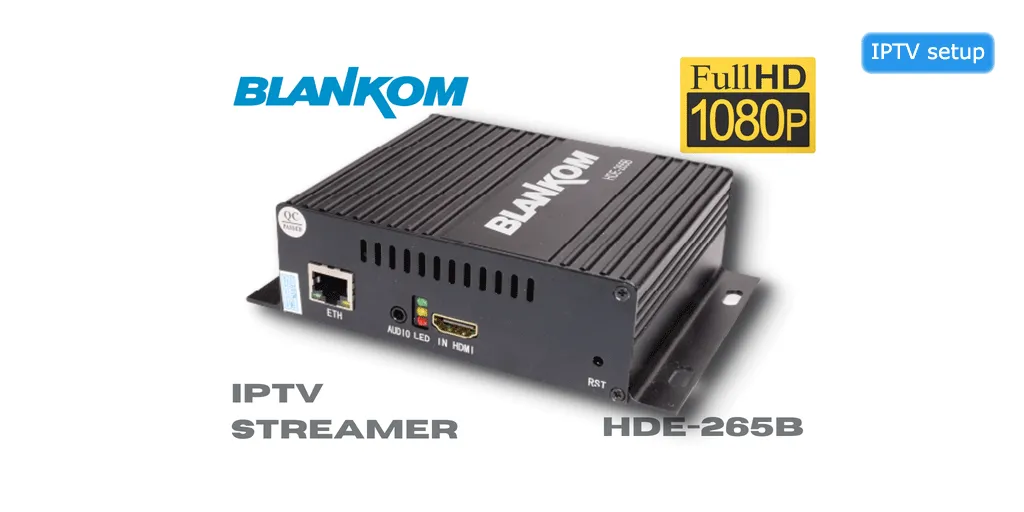
IPTV encoders are essential devices that convert video signals into streamable digital formats for internet delivery. This comprehensive guide covers everything you need to know about IPTV encoders, from basic concepts to professional setup.
Whether you're setting up a small streaming operation or a professional broadcast system, understanding IPTV encoders is crucial for delivering high-quality content.
What is an IPTV Encoder?
An IPTV encoder is a hardware or software device that converts video signals (HDMI, SDI, component) into compressed digital formats suitable for streaming over IP networks. Check out our IPTV encoder box. The encoder compresses raw video data, packages it into streaming protocols, and transmits it to viewers.
Key Functions
- Video Compression: Reduces file size using codecs like H.264, H.265/HEVC
- Format Conversion: Transforms various input signals to streamable formats
- Protocol Packaging: Wraps video in streaming protocols (HLS, RTMP, UDP)
- Bitrate Management: Optimizes quality vs bandwidth
- Multi-bitrate Encoding: Creates multiple quality streams for adaptive streaming
Types of IPTV Encoders
1. Hardware Encoders
Best for: Professional broadcasting, live events, reliable 24/7 operation
- Dedicated physical devices
- Superior reliability and performance
- Lower latency than software encoders
- Higher initial cost ($500-$5,000+)
- Examples: Teradek, Matrox, Haivision
2. Software Encoders
Best for: Budget setups, testing, small-scale streaming
- Runs on standard computers
- Lower cost (free to $500)
- More flexible and updatable
- Requires powerful computer hardware
- Examples: OBS Studio, vMix, Wirecast
3. Cloud Encoders
Best for: Scalable operations, remote encoding
- Encoding done in the cloud
- Pay-as-you-go pricing
- Infinite scalability
- Requires stable upload bandwidth
- Examples: AWS MediaLive, Wowza Cloud
Top IPTV Encoders 2026
1. Teradek VidiU Go - Best Portable
Price: $1,295
Resolution: Up to 1080p60
Best For: Mobile broadcasting, field production
- Built-in cellular bonding (4G/5G)
- Dual Ethernet for redundancy
- Battery powered (up to 2 hours)
- HDMI and SDI inputs
- Streams to multiple platforms simultaneously
2. Haivision Makito X4 - Best Professional
Price: $4,995
Resolution: Up to 4K60
Best For: Broadcast quality, enterprise streaming
- Ultra-low latency (sub-second)
- H.265/HEVC encoding
- Dual redundant power supplies
- SRT protocol support
- Professional audio processing
3. Matrox Monarch EDGE - Best Value
Price: $995
Resolution: Up to 1080p60
Best For: Small studios, houses of worship
- Simultaneous streaming and recording
- HDMI and SDI inputs
- Web-based configuration
- Compact rack-mountable design
- Multi-bitrate streaming
4. Blackmagic Web Presenter HD - Budget Option
Price: $495
Resolution: Up to 1080p60
Best For: Beginners, simple setups
- Plug-and-play USB webcam output
- Built-in streaming encoder
- 12G-SDI and HDMI inputs
- Teranex quality conversion
- Works with any streaming software
Key Features to Consider
1. Video Codec Support
- H.264/AVC: Universal compatibility, good quality
- H.265/HEVC: 50% better compression, newer devices
- VP9: Google's codec, YouTube optimized
- AV1: Next-gen codec, best compression
2. Input Connections
- HDMI: Consumer devices, cameras, computers
- SDI: Professional cameras, broadcast equipment
- Component/Composite: Legacy equipment
- IP Input: Network cameras, other encoders
3. Streaming Protocols
- RTMP: Standard for most platforms
- HLS: Apple devices, adaptive streaming
- SRT: Low latency, error correction
- UDP/RTP: Broadcast applications
- WebRTC: Real-time communication
4. Resolution and Frame Rate
- 720p30 - Basic streaming
- 1080p30 - Standard HD
- 1080p60 - Smooth motion, sports
- 4K30 - Ultra HD content
- 4K60 - Premium broadcasts
5. Latency Requirements
- Ultra-low: Less than 1 second (interactive)
- Low: 2-5 seconds (live events)
- Standard: 10-30 seconds (general streaming)
IPTV Encoder Setup Guide
Step 1: Hardware Connection
- Connect video source to encoder input (HDMI/SDI)
- Connect encoder to network via Ethernet
- Connect power supply
- Verify all connections are secure
Step 2: Network Configuration
- Access encoder web interface (check manual for IP)
- Configure network settings (static IP recommended)
- Set up port forwarding if needed
- Test network connectivity
Step 3: Encoding Settings
- Select video codec (H.264 or H.265)
- Set resolution and frame rate
- Configure bitrate (see recommendations below)
- Enable multi-bitrate if supported
- Set audio codec and bitrate
Step 4: Streaming Configuration
- Choose streaming protocol (RTMP, HLS, SRT)
- Enter streaming server URL
- Input stream key/credentials
- Configure backup stream if available
Step 5: Testing
- Start encoding and streaming
- Monitor encoder status and temperature
- Check stream quality on playback device
- Verify audio sync
- Test failover if configured
Recommended Bitrate Settings
For H.264 Encoding
- 720p30: 2,500-4,000 Kbps
- 720p60: 3,500-5,000 Kbps
- 1080p30: 4,000-6,000 Kbps
- 1080p60: 6,000-9,000 Kbps
- 4K30: 13,000-20,000 Kbps
- 4K60: 20,000-35,000 Kbps
For H.265/HEVC Encoding
- 720p30: 1,500-2,500 Kbps
- 1080p30: 2,500-4,000 Kbps
- 1080p60: 4,000-6,000 Kbps
- 4K30: 8,000-12,000 Kbps
- 4K60: 12,000-20,000 Kbps
Common Issues and Solutions
Problem: Pixelation or Artifacts
Solutions:
- Increase bitrate
- Lower resolution or frame rate
- Check for network congestion
- Verify encoder isn't overheating
Problem: Audio Sync Issues
Solutions:
- Adjust audio delay settings
- Use same sample rate throughout chain
- Check for processing delays
- Update encoder firmware
Problem: Stream Drops or Buffering
Solutions:
- Verify upload bandwidth is sufficient
- Use wired connection instead of Wi-Fi
- Enable adaptive bitrate
- Check server capacity
Hardware vs Software Encoder Comparison
| Feature | Hardware Encoder | Software Encoder |
|---|---|---|
| Cost | $500-$5,000+ | Free-$500 |
| Reliability | Excellent (99.9%+) | Good (depends on PC) |
| Latency | Very Low (0.5-2s) | Low-Medium (2-5s) |
| Quality | Excellent | Excellent (with good PC) |
| Setup | Plug and play | Requires configuration |
| Portability | Compact, dedicated | Requires laptop/PC |
| Updates | Firmware updates | Frequent software updates |
Frequently Asked Questions
What's the difference between an encoder and a decoder?
An encoder compresses and packages video for streaming, while a decoder decompresses and displays the video. Encoders are at the source, decoders are at the viewer's device.
Do I need a hardware encoder or is software enough?
For professional 24/7 streaming, hardware encoders are more reliable. For occasional streaming or testing, software encoders work well if you have a powerful computer.
What upload speed do I need for IPTV encoding?
Your upload speed should be at least 1.5x your streaming bitrate. For 1080p60 at 6 Mbps, you need minimum 9 Mbps upload. Always leave headroom for stability.
Can I stream to multiple platforms with one encoder?
Yes! Many modern encoders support multi-destination streaming, allowing you to broadcast to YouTube, Facebook, and custom RTMP servers simultaneously.
What's the best codec for IPTV encoding?
H.264 offers the best compatibility. H.265/HEVC provides better compression but requires more processing power. For most applications, H.264 is the safe choice.
How much latency should I expect?
Hardware encoders: 0.5-2 seconds. Software encoders: 2-5 seconds. Cloud encoders: 5-15 seconds. Lower latency requires more bandwidth and processing power.