Best IPTV Box 2026
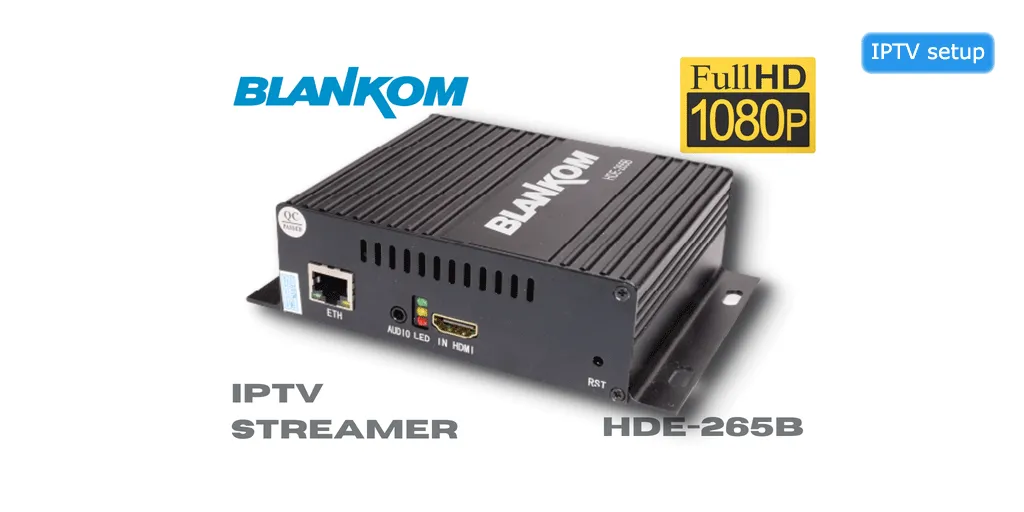
What is an IPTV Box?
An IPTV box (also called a set-top box) is a dedicated device that connects to your TV and internet to stream IPTV content. Unlike streaming sticks, IPTV boxes typically offer more powerful hardware, better performance, and additional features like recording and multiple tuners.
Top 10 IPTV Boxes Reviewed
NVIDIA Shield TV Pro
Best Overall IPTV Box
Specifications:
- Processor: Tegra X1+ (256-core GPU)
- RAM: 3GB
- Storage: 16GB (expandable)
- 4K HDR, Dolby Vision, Dolby Atmos
- Android TV 11
- 2x USB 3.0 ports
- Gigabit Ethernet
- AI upscaling to 4K
Pros:
- Most powerful hardware
- Excellent 4K performance
- Gaming capabilities
- Regular updates
- Plex server support
Cons:
- Expensive
- Overkill for basic IPTV
Formuler Z11 Pro Max
Best IPTV-Specific Box
Specifications:
- Processor: Amlogic S905X4 Quad-core
- RAM: 4GB DDR4
- Storage: 32GB eMMC
- 4K HDR10+
- MyTVOnline 3 app included
- Dual-band WiFi 6
- Gigabit Ethernet
- IR blaster included
Pros:
- Built for IPTV
- Excellent MyTVOnline app
- Recording features
- Great EPG
- Premium build quality
Cons:
- Expensive
- Limited app store
BuzzTV XRS 4500
Best Value IPTV Box
Specifications:
- Processor: Amlogic S905X4
- RAM: 4GB
- Storage: 32GB
- 4K HDR
- BuzzTV 5 app
- Dual-band WiFi
- Bluetooth 5.0
- Voice remote included
Pros:
- Great price-to-performance
- BuzzTV app is excellent
- Good build quality
- Easy setup
Cons:
- Limited to BuzzTV ecosystem
- Fewer features than Formuler
MAG 424w3
Best Budget Option
Specifications:
- Processor: BCM72604 Dual-core
- RAM: 1GB
- Storage: 4GB
- 4K support
- Built-in WiFi
- HEVC codec
- Stalker middleware
- Simple interface
Pros:
- Affordable
- Reliable performance
- Easy to use
- Wide IPTV support
Cons:
- Basic features
- Limited storage
Dreamlink T3
Best for Recording
Specifications:
- Processor: Amlogic S912 Octa-core
- RAM: 2GB
- Storage: 16GB
- 4K HDR
- DOL2 app included
- PVR recording
- Dual-band WiFi
- USB 3.0 for external storage
Pros:
- Excellent recording features
- Good performance
- DOL2 app is solid
- Expandable storage
Cons:
- Older processor
- Interface could be better
IPTV Box Comparison Table
| Model | Price | RAM | Storage | 4K | Rating |
|---|---|---|---|---|---|
| NVIDIA Shield TV Pro | $199.99 | 3GB | 16GB | Yes | 4.9/5 |
| Formuler Z11 Pro Max | $249.99 | 4GB | 32GB | Yes | 4.8/5 |
| BuzzTV XRS 4500 | $179.99 | 4GB | 32GB | Yes | 4.7/5 |
| MAG 424w3 | $129.99 | 1GB | 4GB | Yes | 4.6/5 |
| Dreamlink T3 | $159.99 | 2GB | 16GB | Yes | 4.5/5 |
IPTV Box vs Streaming Stick
IPTV Box Advantages
- ✓ More powerful hardware
- ✓ Better cooling (no overheating)
- ✓ More ports (USB, Ethernet)
- ✓ Recording capabilities
- ✓ Expandable storage
- ✓ Better WiFi antennas
- ✓ Dedicated IPTV features
Streaming Stick Advantages
- ✓ More affordable
- ✓ Portable
- ✓ Hidden behind TV
- ✓ Lower power consumption
- ✓ Simpler setup
- ✓ No extra cables
What to Look for in an IPTV Box
1. Processor & RAM
Minimum: Quad-core processor with 2GB RAM for HD streaming
Recommended: Octa-core with 4GB RAM for 4K and multitasking
2. Storage
Minimum: 8GB for apps and basic use
Recommended: 16GB+ or expandable storage for recordings
3. Video Quality Support
- 4K Ultra HD (2160p)
- HDR10 or Dolby Vision
- HEVC/H.265 codec support
- 60fps capability
4. Connectivity
- Gigabit Ethernet (preferred for 4K)
- Dual-band WiFi (2.4GHz + 5GHz)
- Bluetooth for accessories
- USB ports for storage/peripherals
5. Software & Apps
- Android TV or Linux-based OS
- Pre-installed IPTV apps
- Google Play Store access
- Regular firmware updates
6. Additional Features
- PVR recording capability
- Timeshift function
- EPG support
- Parental controls
- Voice remote
Setting Up Your IPTV Box
Installation Guide:
Step 1: Unbox & Connect
- Connect box to TV via HDMI
- Plug in power adapter
- Connect Ethernet cable (recommended)
- Insert batteries in remote
Step 2: Initial Setup
- Turn on TV and select HDMI input
- Follow on-screen setup wizard
- Connect to WiFi (if not using Ethernet)
- Sign in to Google account (if Android TV)
Step 3: Install IPTV App
- Open app store or use pre-installed app
- Download IPTV Smarters Pro or preferred player
- Install and open the app
Step 4: Configure IPTV
- Enter your IPTV credentials
- Load your M3U playlist or Xtream Codes
- Configure EPG settings
- Adjust video quality preferences
Step 5: Optimize Settings
- Enable hardware acceleration
- Set up parental controls
- Configure recording (if available)
- Organize channel favorites
IPTV Box Maintenance Tips
Keep Firmware Updated
Check for updates monthly to ensure optimal performance and security.
Clear Cache Regularly
Clear app cache weekly to prevent slowdowns and buffering issues.
Ensure Proper Ventilation
Don't stack devices on top of the box. Allow airflow to prevent overheating.
Use Wired Connection
Ethernet provides more stable streaming than WiFi, especially for 4K.
Restart Weekly
Power cycle your box once a week to clear memory and refresh connections.
Backup Settings
Export your configuration and playlists regularly in case of reset.
Frequently Asked Questions
Do I need an IPTV box or can I use a Fire Stick?
Fire Stick works fine for basic IPTV. Get a dedicated IPTV box if you want better performance, recording features, or plan to stream 4K content regularly.
Can IPTV boxes record shows?
Many IPTV boxes support PVR recording. You'll need to connect external USB storage for saving recordings.
Are IPTV boxes legal?
IPTV boxes themselves are legal devices. Legality depends on the content you stream. Use only licensed IPTV services.
How long do IPTV boxes last?
Quality IPTV boxes typically last 3-5 years with proper care. Budget models may need replacement sooner.
Can I use multiple IPTV services on one box?
Yes! Most IPTV boxes support multiple playlists, allowing you to switch between different providers.
Related Articles
IPTV setup guide | IPTV players | IPTV Firestick setup | best IPTV service | IPTV apps